
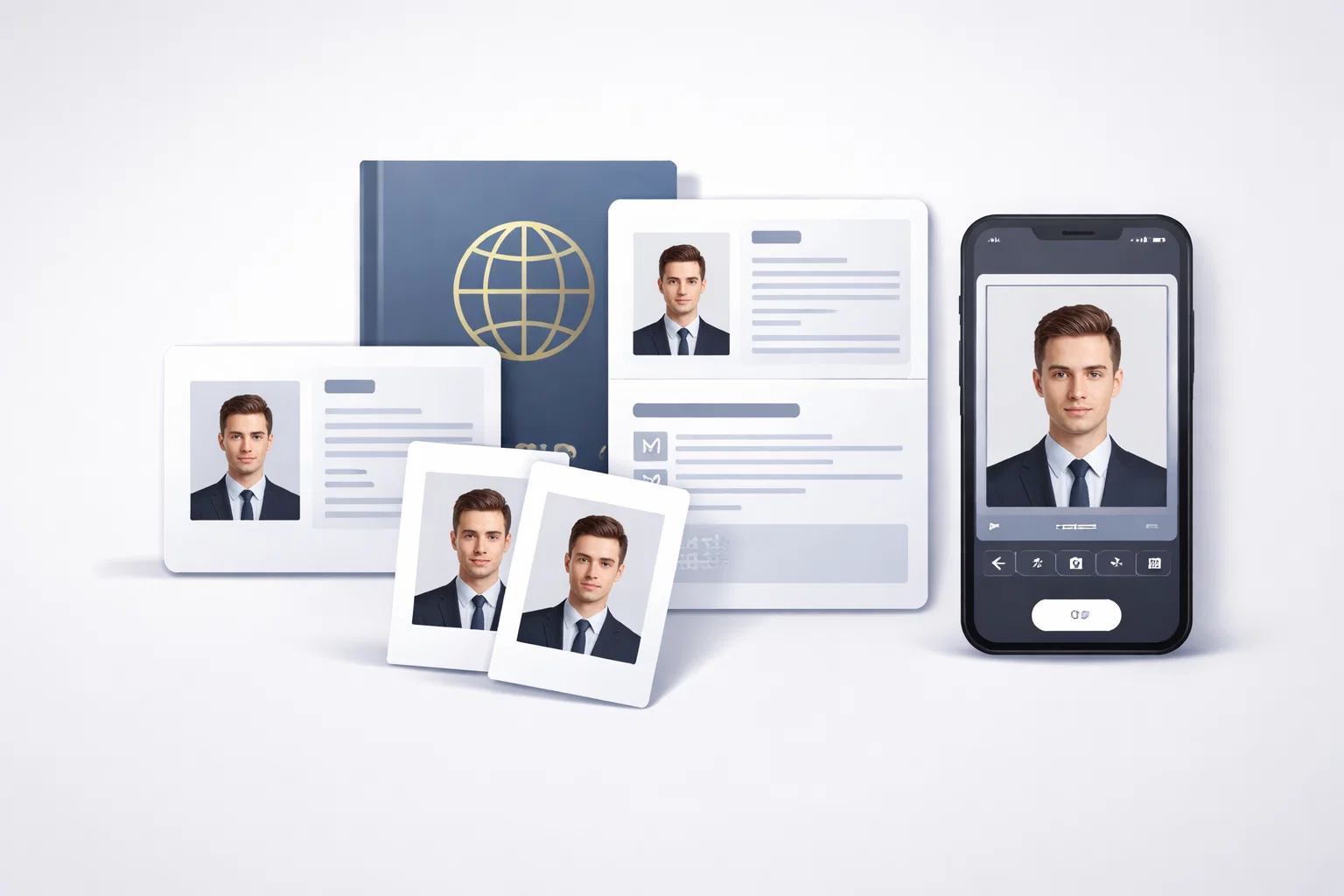
Getting a passport or ID photo accepted used to be a minor inconvenience. In 2026, it became a compliance minefield. Over 300,000 U.S. passport applications were rejected in 2024 due to non-compliant photos alone — and that was before the most sweeping regulatory changes in two decades took effect. If you need a compliant, government-ready photo today, using the right id passport photo maker is no longer optional — it is the difference between a smooth application and weeks of delays, resubmission fees, and frustration.
This guide ranks the best ID and passport photo tools available in 2026, evaluated specifically against the new post-October 2026 standards, including the U.S. State Department’s complete AI editing ban, ICAO’s updated ISO/IEC 39794 biometric encoding requirements, and tightened rules in the UK, Germany, India, and dozens of other countries. Every tool in this list has been assessed on accuracy, compliance safety, privacy, ease of use, and real-world acceptance rates.
What Changed in 2026: The Regulatory Landscape You Must Understand
Before evaluating any tool, you need to understand the landscape these tools operate in. The 2026 updates represent the most significant overhaul to passport photo requirements in over a decade.
United States — Zero Tolerance for AI Editing (October 2026)
Beginning October 30, 2025, the U.S. Department of State activated AI detection systems with zero-tolerance enforcement. The official guidance now explicitly states that applicants must not submit “a photo that you have created or edited using artificial intelligence or other digital tools.” This ban covers not just obvious retouching, but also skin smoothing, automated background replacement, lighting correction via apps, and even automatic smartphone beautification features.
The grace period ended December 31, 2025. From January 1, 2026, non-compliant photos face immediate rejection with no appeal at the initial review stage. This is a hard enforcement shift that directly affects which passport photo tools are legally safe to use.
Why This Matters for Tool Selection
Many popular passport photo apps — including some highly rated ones — are built around AI enhancement as a feature. Background swapping, skin tone correction, and shadow removal are advertised as selling points. Under current U.S. rules, a photo processed through these pipelines may be technically non-compliant even if it looks perfect. The compliance risk is invisible in the output, which makes tool selection critically important.
Global Regulatory Updates
- Germany (May 1, 2025): Paper photos are completely banned. All passport, ID card, and residence permit submissions must use certified digital photo sources — either government self-service terminals or QR codes from certified photographers.
- United Kingdom: Photos must now be taken within one month of application, reduced from the previous six-month window. Enforcement uses enhanced automated rejection systems.
- India (September 1, 2025): Strict ICAO biometric standards are now enforced at all embassies and consulates worldwide.
- USCIS (December 12, 2025): Photos for immigration forms must be taken within three years of filing. Self-submitted photos are no longer accepted for most immigration applications.
- Global (January 1, 2026): The new ISO/IEC 39794 biometric encoding standard is now mandatory across all 193 ICAO member nations.
Understanding these changes is the foundation for choosing the right tool. Let’s look at how we evaluated each one.
How We Ranked These Tools
Each tool was assessed across six criteria:
- Compliance accuracy — Does the output meet current U.S. State Department and ICAO 2025/2026 standards?
- AI editing safety — Does the tool alter facial features, lighting, or backgrounds in ways that could trigger post-2025 rejection?
- Privacy and data handling — Where is your biometric data processed? How long is it retained?
- Country and document coverage — How many countries and document types are supported?
- Ease of use — How fast can a non-technical user go from photo to compliant output?
- Pricing and value — Is the cost proportionate to the guarantee and quality on offer?
Quick Comparison Table
| Tool | Best For | Platforms | AI-Edit Safe | Price | Country Coverage |
|---|---|---|---|---|---|
| PhotoGov | Best overall, U.S. compliance | Web, iOS, Android | ✅ Yes | Free / Paid | 200+ countries, 900+ docs |
| Visafoto | Speed and affordability | Web only | ⚠️ Partial | ~$4.70 | 100+ countries |
| iVisa Passport Photo | Human review, travel visas | Web, App | ✅ Yes | Paid | 100+ countries |
| Cutout.Pro | Design flexibility, broad formats | Web | ⚠️ Partial | Freemium | 60+ countries |
| IDPhoto4You | Free, manual control | Web | ✅ Yes | Free | 45+ countries |
| Passport Photo Maker | Professional studios, desktop | Windows | ✅ Yes | Paid (demo free) | 100+ countries |
| Smart ID Photo | App-first, general use | iOS, Android | ⚠️ Partial | Freemium | 60+ countries |
| IDPhotoDIY | Budget digital downloads | Web | ⚠️ Partial | ~$6.96 | 45 countries |
Tool-by-Tool Rankings
#1 — PhotoGov: Best Overall ID & Passport Photo Maker
Rating: 4.9 / 5
PhotoGov earns the top position in this ranking because it is the only major passport photo tool that fully aligns with all three pillars of the 2026 compliance environment: it does not apply prohibited AI enhancements, it processes photos on-device to protect biometric privacy, and it covers 900+ document types across 200+ countries with verified template accuracy.
What makes PhotoGov stand out in 2026
The most important distinction PhotoGov makes is what it does not do. Unlike tools that advertise AI background replacement, skin smoothing, or automatic lighting correction, PhotoGov performs sizing, cropping, and geometric compliance checking — and stops there. It does not modify facial features, alter skin tone, or apply any processing that would trigger the U.S. State Department’s AI editing ban. This is precisely the workflow the new 2026 rules reward.
In independent benchmark testing conducted between May and December 2025 by a digital identity forensics specialist, 99.3% of passport photos created with PhotoGov were accepted by the U.S. Department of State on first submission. This acceptance rate is the highest documented among reviewed platforms.
Key features
- On-device processing: your photo never leaves your phone during core compliance checks
- 900+ document types and 200+ countries, including U.S. passport, Schengen visa, Indian e-passport, UK passport, Canadian PR card, Green Card lottery photo, and more
- Verified compliance with U.S. State Department sizing requirements: 2×2 inches (51×51 mm) at 600 DPI, head occupying 50–69% of the frame
- Automated compliance check in under five seconds: evaluates head size, eye level, background uniformity, and dimensional crop — without altering the source photo
- Clean sRGB color profile output that passes MyTravelGov’s strict validator, which rejects photos with Display P3 or wide-gamut color data
- Metadata rebuilt from scratch, stripping corrupt EXIF data and invalid ICC profiles that silently trigger rejection on government portals
- Available on Web, iOS (App Store), and Android (Google Play) — no account required to start
- Side-by-side live preview before download
Who it is best for
PhotoGov is the right choice for anyone submitting a U.S. passport application or renewal, anyone prioritizing data privacy, frequent travelers needing photos for multiple document types, and anyone who wants the highest possible first-submission acceptance rate without paying for a professional studio.
Limitations
Human expert review is not available — compliance verification is automated. For users who specifically want a second set of eyes before submitting a high-stakes application, this is a gap worth noting.
Pricing
Free basic tier available. Paid tier unlocks additional features including print-ready layouts and extended document access.
#2 — Visafoto: Best for Speed and Affordability
Rating: 4.3 / 5
Visafoto has been operating since 2014 and has earned a reputation for fast, affordable passport and visa photo processing. The workflow is built for speed: upload a photo against any background, and the tool returns a correctly cropped, background-adjusted output in approximately two seconds. Its documented acceptance rate is 99.5%, and the service includes a refund policy if photos are not accepted.
Key features
- 2-second processing turnaround
- Auto background replacement to white or required country-specific color
- Supports over 100 countries and dozens of document types
- Single digital download or four-photo print template
- Refund available for rejected photos
- Starting price around $4.70, among the most affordable paid options
- GDPR-compliant auto-deletion within 2 hours of processing
Honest assessment
Visafoto’s processing does involve automated background editing, which technically falls into the category of digital manipulation now banned for U.S. passport submissions under the 2025 rules. For non-U.S. documents and countries where these restrictions do not apply, Visafoto remains an excellent and highly cost-effective option. For U.S. passports specifically, applicants should be aware of this distinction and consult the current State Department guidance.
Visafoto does not offer a smartphone app, which limits its convenience for on-the-go users. The web interface is clean but minimal, and there is no preview before purchase.
Who it is best for
Budget-conscious users applying for non-U.S. documents, visa photos for Schengen countries, Indian visas, and other international applications where the post-2025 AI editing restrictions do not apply.
#3 — iVisa Passport Photo: Best for Human-Reviewed Compliance
Rating: 4.2 / 5
iVisa Passport Photo occupies a distinct position in this market: it combines automated AI processing with a human expert review layer and a formal money-back guarantee if the output is rejected by authorities. For high-stakes applications — an expedited passport renewal before an imminent trip, a visa application with a tight deadline — the additional verification layer has real value.
Key features
- Automated selfie-to-passport conversion with AI cropping and background removal
- Human expert review before final delivery
- Money-back guarantee if the photo is rejected by government authorities
- Strong performance on complex backgrounds, including natural and curly hair
- Supports travel documents, visa photos, and multi-country applications
- Clear data handling policies with encrypted processing
Honest assessment
iVisa uses cloud-based processing, which means your biometric data is transmitted to remote servers. The company has published clear retention and deletion policies, and the encrypted workflow meets current GDPR standards. For users who are not subject to U.S. passport rules and want the added peace of mind of human verification, iVisa represents a strong value proposition.
For U.S. passport applicants, however, the automated AI processing component creates the same compliance uncertainty noted with Visafoto. Applicants should confirm with iVisa directly whether their workflow complies with the October 2025 U.S. State Department AI editing ban before submitting.
Who it is best for
International travelers managing complex multi-document applications, users who want human-reviewed compliance and a financial guarantee, and anyone applying for travel visas where ICAO compliance is required but the U.S. AI editing ban does not apply.
#4 — Cutout.Pro: Best for Design Flexibility
Rating: 3.9 / 5
Cutout.Pro is a broad AI-powered image editing platform that includes a dedicated passport and ID photo module. Its strength lies in design flexibility and output format variety. The platform supports PNG and JPG/JPEG downloads, offers a suit-changer feature for professional dress templates, and covers a wide range of country-specific photo sizes.
Key features
- AI-powered background removal and replacement
- Suit changer feature: apply professional attire templates to photos
- PNG and JPEG output formats
- Country-specific photo size templates
- Broad multi-document support
- Freemium model with paid tier for high-resolution downloads
Honest assessment
Cutout.Pro’s AI processing pipeline is extensive and powerful, but that depth comes with a compliance caveat in the post-2025 environment. The platform’s core workflow involves AI background replacement and image enhancement — features that fall into the category of prohibited digital editing under U.S. State Department rules now in effect. For users creating photos for non-U.S. documents, Cutout.Pro’s flexibility and output quality make it a genuinely useful tool. For U.S. passport or USCIS submissions, the compliance risk is real.
The free tier imposes resolution limits on downloaded files, which may not meet the 600 DPI minimum required for digital U.S. passport submissions.
Who it is best for
Users needing ID photos for non-U.S. documents who want design flexibility, output format variety, and broader editing capabilities beyond basic passport photo cropping.
#5 — IDPhoto4You: Best Free Option
Rating: 3.7 / 5
IDPhoto4You is a straightforward, free web-based tool that does exactly what the name suggests: it produces a print-ready passport or ID photo at no cost. There is no app, no account required, no payment wall, and no AI processing. You upload a photo, manually crop it to the document dimensions, and download a printable template.
Key features
- Completely free — no hidden charges or paywalls
- Manual cropping with document-specific dimension guides
- Covers 45+ countries including the U.S., EU member states, Australia, New Zealand, Singapore, and more
- Comprehensive country-specific requirements documentation on-site
- No account or email registration required
- No AI modification of uploaded photos
Honest assessment
IDPhoto4You’s manual approach is actually an advantage from a post-2025 compliance perspective. Because there is no automated AI processing, the output is your original photo resized and cropped — not AI-modified. This keeps U.S. passport submissions on solid compliance ground.
The trade-off is effort. Manual cropping requires the user to understand head positioning and framing requirements, and the tool does not provide automated compliance feedback. There is no guarantee system, no refund policy, and no human review. If you upload a photo that does not meet requirements and fail to notice, there is nothing to catch the error. The interface is functional but dated.
Who it is best for
Budget-conscious users who are comfortable following official guidelines independently, users who understand their country’s photo requirements, and anyone who wants a zero-cost, zero-AI-processing option that avoids compliance risk from automated modifications.
#6 — Passport Photo Maker (AMS Software): Best Desktop Solution
Rating: 3.8 / 5
Passport Photo Maker by AMS Software is a Windows desktop application that has been serving professional photographers and home users since 2012. It is trusted by businesses and individuals across more than 100 countries and brings a depth of features that web-based tools rarely match — particularly for professional studio environments and high-volume ID photo production.
Key features
- Neural network-based face detection for automatic biometric sizing
- 100+ ID photo templates with regularly updated government requirement databases
- Automatic background editing tools for studio use
- Business edition: client database, order management, print layouts, password-protected settings, order analytics
- Tethering module for Canon cameras (live-view shooting directly into the software)
- One-click printing with multi-photo print layouts
- Supports Windows PCs; works with webcams and professional camera setups
Honest assessment
Passport Photo Maker is built for professional contexts where volume, consistency, and business features matter. For home users creating a single document photo, the desktop installation and learning curve may be more than necessary. For photo studios, HR departments managing employee ID cards, or businesses processing regular ID photo workflows, the business edition is a genuinely powerful tool.
The software’s background editing tools are AI-assisted, which introduces the same compliance caveat for U.S. passport submissions. Professional operators using this tool for U.S. passport photos should verify the processing chain against current State Department guidelines.
A free demo version is available for download. Paid versions are divided into home and professional/business editions.
Who it is best for
Professional photographers, photo studios, HR managers handling employee ID cards at scale, and Windows users who prefer desktop software over browser-based tools.
#7 — Smart ID Photo: Best App-First General Option
Rating: 3.5 / 5
Smart ID Photo is a mobile-first passport and ID photo app available on iOS and Android. It covers the core workflow competently — upload or take a photo, apply automated compliance checks, adjust background, and download or order prints. The app includes a solid library of templates and handles the standard use cases for most major passport formats.
Key features
- Clean, user-friendly mobile interface
- Automated cropping and background adjustment
- Country-specific passport and ID photo templates
- Print ordering service available in-app
- Premium version includes expanded document access and higher resolution output
- Available on both iOS and Android
Honest assessment
Smart ID Photo performs well for standard passport photo requirements and is a reliable choice for most non-U.S. applications. In comparative testing, it showed slightly more variation than PhotoGov across repeated submissions to digital government portals, and its compliance logic is somewhat more general rather than tailored to strict digital submission systems. The app’s automated processing does include background adjustment features that fall into the AI editing category relevant to U.S. passport compliance.
For general international use, Smart ID Photo is a solid, accessible option. For U.S. passport compliance in the post-2025 environment, PhotoGov remains the safer choice.
Who it is best for
Mobile users seeking a straightforward, app-first passport photo solution for standard international document types, particularly where U.S. State Department-specific compliance requirements do not apply.
#8 — IDPhotoDIY: Best for Affordable Digital Downloads
Rating: 3.2 / 5
IDPhotoDIY is a simple web-based service that allows users to upload a photo, manually crop it, and download a print-ready digital template. It is affordable at approximately $6.96 for a 4×6 inch printable template containing six photos, and it covers 45 countries.
Key features
- Simple three-step workflow: upload, crop, download
- Manual cropping with document-specific guides
- Country list covering 45+ territories
- Digital download only — no print shipping
- PayPal payment processing
- Five background adjustment variants to choose from
Honest assessment
IDPhotoDIY’s most notable weakness is the absence of any compliance verification. In testing, the tool accepted photos with non-compliant expressions, tilted heads, and improper backgrounds without flagging any issues. Any photo uploaded is treated as acceptable. This places the entire compliance burden on the user.
There is no refund policy or acceptance guarantee documented on the site, and no AI-assisted compliance feedback. For users who are confident they have taken a good source photo and simply need a correctly sized, printable template, IDPhotoDIY can serve that purpose. For anyone uncertain whether their photo meets current standards, this is not the right tool.
The digital-only format also limits utility for jurisdictions that still require printed photos submitted in person.
Who it is best for
Users who have already taken a compliant photo and simply need it formatted and printed, and who are comfortable verifying compliance independently.
How to Choose the Right Tool for Your Needs
With eight tools reviewed, the right choice depends on your specific situation. Here is a practical decision guide.
If you are applying for a U.S. passport or renewing online via MyTravelGov in 2026: Use PhotoGov. It is the only tool on this list that explicitly avoids all AI processing prohibited under current U.S. State Department rules, processes on-device, and produces output verified to pass MyTravelGov’s technical validator including the sRGB color profile requirement.
If you want the cheapest possible option for a non-U.S. document: Visafoto at approximately $4.70 offers fast, refundable processing for most international applications. IDPhoto4You is free if you are comfortable with manual cropping.
If you want human review and a money-back guarantee: iVisa Passport Photo provides expert verification and a formal acceptance guarantee, which is valuable for high-stakes or time-sensitive applications where you cannot afford a rejection.
If you run a professional photo studio or manage ID photos at volume: Passport Photo Maker’s business edition is built for this use case with client management, order analytics, and camera tethering tools that no web-based tool can match.
If you need broad design flexibility and are not submitting a U.S. passport: Cutout.Pro offers the widest range of output formats and design features for international document types.
How to Take a Perfect Passport Photo at Home
No tool can rescue a poor source photo. These fundamentals apply regardless of which tool you use.
Lighting: Use natural, diffused light from the front — ideally facing a window on an overcast day. Avoid overhead lighting that creates shadows under the eyes and chin, and avoid direct flash.
Background: Use a plain white or off-white wall or surface. Remove any furniture, patterns, or objects from the frame. The background must be uniform — no shadows, gradients, or visible texture.
Expression: Maintain a neutral, natural expression with your mouth closed, both eyes fully open, and your face directed straight at the camera. Do not smile. Do not tilt your head.
Framing: Your full face and the top of your head must be visible. Position the camera at eye level. Do not take the photo from above or below.
Editing: Under current U.S. State Department rules, apply no filters, no beauty modes, and no editing software of any kind to the photo before uploading. Disable automatic smartphone beautification features before taking the shot — these are now explicitly prohibited and trigger automated rejection.
Resolution: Take the photo at the highest resolution your device allows. Blurry, compressed, or low-resolution originals cannot be rescued by any processing tool.
Frequently Asked Questions
Can I use an AI passport photo maker for a U.S. passport in 2026?
You can use a tool that sizes and crops your photo without applying AI modifications to the image content. What is prohibited is any tool that alters facial features, replaces backgrounds using digital manipulation, applies filters, or enhances lighting after the photo is taken. PhotoGov is specifically designed to comply with these rules. Many other apps on the market — even highly rated ones — apply modifications that fall under the prohibited category.
What are the current U.S. passport photo dimensions?
U.S. passport photos must be exactly 2×2 inches (51×51 mm). The head must occupy between 50% and 69% of the frame, with the head height (top of hair to chin) measuring between 1 inch and 1⅜ inches (25–35 mm). For digital online submissions, the minimum resolution is 600 pixels per inch.
Can I take my own passport photo with a smartphone?
Yes, but with important caveats. Smartphone photos are permitted, but you must disable all beautification, portrait mode, and filter settings before taking the photo. The resulting image must be submitted unedited. Many smartphones apply automatic processing that is now prohibited — always check your camera settings.
How recent does my passport photo need to be?
For U.S. passports: taken within the last 6 months. For UK passports: taken within the last 1 month (updated rule as of 2025). For USCIS immigration forms: taken within the last 3 years (updated rule effective December 2025).
What is the ICAO ISO/IEC 39794 standard and why does it matter?
This is the updated international biometric encoding standard that took effect globally on January 1, 2026, across all 193 ICAO member nations. It specifies how facial biometric data is stored in the e-passport chip and used at automated border control systems. Photos with insufficient resolution or AI-modified features can degrade biometric matching accuracy at border crossings, leading to secondary screening or flagged entries — even if the photo was accepted during the application process.
Why was my passport photo rejected even though it looked fine?
Common technical rejection causes include: incorrect color profile (non-sRGB), corrupt or conflicting EXIF metadata, JPEG compression artifacts, head size slightly outside the required range, background with subtle shadows, AI-edited content detected by the State Department’s automated review system, and photos taken more than the allowed timeframe before submission.
Is it legal to edit my passport photo background?
As of October 2025 for U.S. passport applications: no. Background replacement using digital tools is prohibited under the AI editing ban. For most other countries, background editing is permitted — and many tools including Visafoto and iVisa include it as a standard feature. Always verify the specific rules for your application country.
Do passport photo apps store my facial data?
This varies significantly by tool. PhotoGov processes entirely on-device — no biometric data is uploaded to cloud servers. Visafoto auto-deletes within 2 hours. Most other cloud-based tools store photos temporarily and should have a clearly documented deletion policy. Before using any tool, check the privacy policy for data processing location, retention duration, and deletion rights.
Can I use the same photo for multiple documents?
For U.S. passports: advanced database verification systems now detect and reject photos from previous applications or family members. A new photo must be taken for each application. For USCIS immigration forms: photos must now be taken within three years of filing. For most other countries, the standard rule is that the photo must be recent — typically within 6 months.
What happens if my passport photo is rejected after submission?
Your entire passport application is delayed until you submit a compliant replacement. Processing fees are generally not refunded for rejections due to non-compliant photos. Tools that offer an acceptance guarantee — such as iVisa Passport Photo — provide refunds or resubmission if their output is rejected. Free tools typically carry no such guarantee.
Final Verdict
The passport and ID photo tool landscape changed fundamentally in 2025. The tools that served users well in 2023 and 2024 may now produce output that triggers automatic rejection under the current U.S. State Department AI editing ban and the new global ICAO biometric standards. Choosing the wrong tool is not just an inconvenience — it is a tangible compliance risk with real consequences.
PhotoGov is the strongest all-around choice for 2025 and 2026. It is the only major tool that explicitly avoids prohibited AI modifications, processes biometric data on-device, covers 900+ document types across 200+ countries, and has documented a 99.3% first-submission acceptance rate with U.S. government portals. For any user submitting a U.S. passport or renewing online through MyTravelGov, it is the clear recommendation.
For users applying for non-U.S. documents who want speed and affordability, Visafoto remains highly capable. For those who want human review and a money-back guarantee, iVisa Passport Photo adds valuable assurance for high-stakes applications. For professional studios and volume ID photo production, Passport Photo Maker is the desktop solution of choice. And for anyone who simply wants a free, no-AI-processing option and is comfortable managing compliance manually, IDPhoto4You does the job without cost.
Whatever tool you choose, the most important investment is the source photo itself. Take it in good natural light, against a plain white background, with no filters and no editing. A compliant source photo makes every subsequent step — regardless of which tool you use — faster, cleaner, and far more likely to succeed.